
PokéSurvivor Controls: PC and Mobile Survival Guide
Learn PokéSurvivor controls for PC and mobile, switch moves, pause your run, and dodge enemy swarms with practical tips for smoother browser-game survival.
Jump to
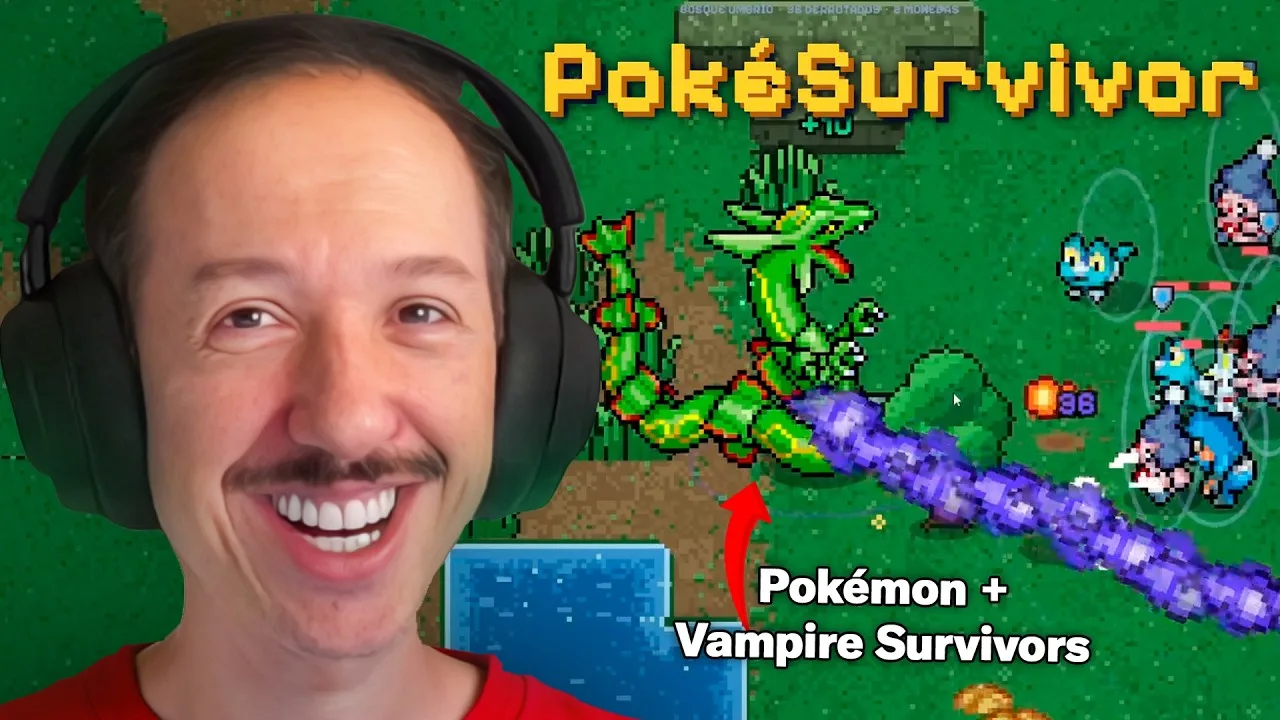
What Are the PokéSurvivor Controls?
A crowded screen becomes much easier to handle once you know the PokéSurvivor controls. Your Pokémon attacks automatically, so staying alive depends on movement, switching moves, and escaping danger before enemies surround you. Learn the PokéSurvivor controls early, and you can spend your attention on the battlefield instead of hunting for the right button.
On PC, move with WASD or the arrow keys, switch attacks with 1–4 or Q/E, and pause with Esc. On a phone or tablet, play in landscape, drag your finger to move, tap a move icon to select it, and use the top-right pause button.
| Action | PC controls | Phone or tablet controls |
|---|---|---|
| Move your Pokémon | WASD or arrow keys | Touch and drag to use the virtual joystick |
| Switch the active move | 1–4, Q/E, or click a move icon | Tap a move icon |
| Attack | Automatic with the active move | Automatic with the active move |
| Pause | Esc | Top-right pause button |
The important distinction is between selecting an attack and performing an attack. You choose which move is active; your Pokémon handles firing it. Pressing a move-selection key changes your attack rather than manually launching each hit.
That makes this a game of positioning. Keep an escape route open, collect experience when you can reach it safely, and choose an attack that suits the enemies ahead.
You can play PokéSurvivor in your browser without downloading anything. Before settling into a run, take a moment to locate the move icons and pause control. Those small preparations become useful when the screen fills with enemies and ground warnings.
PC Controls: Movement, Move Selection, and Pausing
The keyboard side of the PokéSurvivor controls gives you two movement layouts and several ways to change attacks. Choose a layout that feels comfortable, then practice switching moves while continuing to steer.

Learn movement before juggling attacks
WASD and the arrow keys both move your Pokémon. Neither requires you to press a separate attack button.
Start by moving through open space and watching how enemies approach. Practice changing direction before the horde closes around you. Avoid spending the opening stretch staring at your Pokémon alone; watch the space you are moving toward.
Keep these priorities in order:
- Find a clear path.
- Move away from incoming enemies and attack markers.
- Switch your active move when the matchup calls for it.
- Collect nearby experience without giving up your escape route.
These are priorities rather than a rigid sequence. If a warning appears under your Pokémon, leave it immediately instead of finishing an experience pickup.
Choose a move-switching method
| PC input | Function |
|---|---|
| W, A, S, D | Move your Pokémon |
| Arrow keys | Move your Pokémon |
| 1, 2, 3, 4 | Select an active move |
| Q/E | Switch between moves |
| Click a move icon | Select that move |
| Left-click an upgrade card | Choose the displayed upgrade |
| Esc | Pause the run |
Practice both the number keys and Q/E before deciding which you prefer. Use the number keys when you want to select a specific move directly. Use Q/E to cycle between your available moves.
Clicking a move icon also works, but practice the keyboard options so you can change attacks without moving the pointer to the interface during a crowded fight.
Keep the pause key within reach
Press Esc when you need to pause. Learn that binding alongside movement, rather than waiting until you need to step away.
Treat pausing as a separate control from switching moves. The move icons manage your attacks; Esc handles the pause action.
Mobile Controls: The Floating Joystick and Touch Interface
PokéSurvivor supports phones and tablets held in landscape orientation. The mobile PokéSurvivor controls use a joystick that appears where you touch, so movement starts from your finger position rather than a permanently fixed joystick location.
Put your finger on the screen and drag to steer. Tap a move icon when you want to change attacks. Your Pokémon continues handling the actual attacks automatically.
| Touch action | Result |
|---|---|
| Touch the screen to begin movement | The virtual joystick appears where you touch |
| Drag your finger | Move your Pokémon |
| Tap a move icon | Change the active attack |
| Tap the top-right pause button | Pause the game |
Build a comfortable touch routine
Begin in landscape and locate the attack icons before the horde gets dense. Practice steering, selecting another move, and returning your attention to the battlefield.
Keep your finger placement clear of the area you need to watch. Pay particular attention to incoming enemies and warning shapes on the ground. If your hand obscures an escape route, adjust where you begin using the floating joystick.
Try this opening routine:
- Touch and drag through open space.
- Find the move icons and practice selecting an available attack.
- Locate the pause button in the top-right corner.
- Resume watching enemy paths and ground markers as you move.
Do not tap repeatedly expecting each tap to fire a move. Touch input selects the attack; combat itself remains automatic.
Browser play and home-screen access
You can play directly in a mobile browser or add PokéSurvivor to your home screen so it behaves like an installed app. The mobile movement system still uses touch dragging and move icons.
If you want to continue your progress across devices, use an account. Account progress is saved in the cloud, allowing you to continue on another device. Guest play lets you start immediately, but does not provide that saved account progress.
Automatic Attacks: Switching Moves and Choosing Upgrades
The combat rule behind the PokéSurvivor controls is simple: your Pokémon automatically uses its active move. Your decisions are where to stand, which move to select, and how to develop your build.
Learning the buttons is only part of the job. Learn to recognize when an attack change is useful without losing track of the enemies approaching you.
Switch for the enemies ahead
Type matchups affect combat. Change to a move that is super effective against the enemies in front of you when your available moves give you that option.
Weather also changes attack effectiveness. Rain strengthens Water moves and weakens Fire moves; harsh sunlight does the opposite.
Use those mechanics to guide your choices:
- Check the types of enemies blocking your path.
- Select an effective move from your available attacks.
- Reconsider Fire and Water attacks when the weather changes.
- Keep steering while deciding which move to use.
Do not spend so long studying your move icons that you walk into a swarm. Learn their positions during quieter moments, then make shorter decisions when pressure increases.
Understand the level-up choices
Collecting experience raises your level. Each level-up offers three cards, with choices covering new moves, upgrades to existing moves, or boosts for your Pokémon.
Read the options before choosing. Take upgrades that support the attacks you are using, and consider another move when it gives you a useful response to different enemies.
Moves can evolve when they reach maximum level and you obtain the required upgrade. Ember becomes Fire Blast, while Bubble becomes Surf. Build toward those requirements rather than assuming repeated movement or button presses will trigger an evolution.
Your control routine stays centered on movement and attack selection as your build grows. Stronger moves help clear enemies, but you still need to steer around incoming attacks.
Avoid the button-mashing trap
Repeatedly pressing the same move key does not replace positioning. Select the move you want, then concentrate on the path ahead.
When a run becomes difficult, check your movement and attack choice together. An effective attack helps against the horde, while a clear route gives you room to survive long enough to use it.
Dodging, Enemy Warnings, and Co-op Movement
Once the PokéSurvivor controls feel familiar, focus on reading danger. Some enemies support the horde, while others create attacks that force you to move out of marked areas.
Ground warnings include circles and lines that fill up before an attack lands. Leave those areas as they charge. Watch the ground as well as the enemy sprites.
| Enemy behavior or warning | What happens | Your response |
|---|---|---|
| A circle or line fills on the ground | An attack is about to land | Move outside the marked area |
| An enemy heals others | Nearby enemies receive healing | Prioritize the healer |
| An enemy shields allies | Other enemies gain protection | Prioritize the shield-caster |
| An enemy summons help | Reinforcements join the fight | Keep a clear route around the growing group |
| Enemies approach from several directions | The horde threatens to surround you | Move toward open space before the gaps close |
Move in wide circles
Use wide circles to draw pursuing enemies into a line behind you. Keep checking the front of your route rather than assuming the space ahead will stay clear.
Avoid backing directly away from one group without looking for others. That can carry you toward enemies arriving from another direction.
Adjust your path when warnings appear. Circling is a movement habit, not a reason to stay on a dangerous route. Cut toward open space whenever an attack marker or fresh group blocks your loop.
Collect experience with an exit in mind
Experience fuels your level-ups, so loop back for pickups when the path is clear. Avoid pushing into a packed group just because experience is visible inside it.
Use movement to pull enemies away, then look for an opening. Keep scanning for the next exit while collecting; a pickup route should leave you somewhere you can continue moving.
Use positioning to help teammates
Online co-op supports up to four players, and experience is shared across the team. You revive a downed teammate by standing beside them.
Clear a route before approaching a fallen teammate. Watch for warning markers nearby, and avoid trapping yourself while trying to help.
Co-op also makes browser behavior relevant: if the host switches browser tabs, the game pauses for everyone. Keep that in mind when hosting a group run.
FAQ
What are the PokéSurvivor controls on PC?
Move with WASD or the arrow keys. Select attacks with 1–4, cycle between moves with Q/E, or click a move icon. Press Esc to pause. Your Pokémon attacks automatically with its active move.
How do you move in PokéSurvivor on mobile?
Hold your phone or tablet in landscape, then touch and drag on the screen. A virtual joystick appears where you touch. Tap a move icon to change attacks and the top-right button to pause.
Do you need to press a button to attack?
No. Your Pokémon fires its active move automatically. Use your inputs to move, switch attacks, and choose upgrades. Keep your attention on enemy approaches, type matchups, and ground warnings instead of repeatedly pressing attack-selection keys.
How do you dodge marked attacks?
Watch for circles and lines that fill up on the ground, then move outside them before the attack lands. Keep an escape route open while circling enemies, and change direction whenever a warning blocks your current path.
Continue with
 PokéSurvivor Gameplay Guide: Moves, Builds & SurvivalMaster PokéSurvivor gameplay with movement tips, move evolutions, type matchups, held items, and co-op strategies. Build smarter and survive longer runs.
More in Guide
PokéSurvivor Achievements: Unlocks, Rewards & Titles
Track all 130 PokéSurvivor achievements, earn tickets and profile titles, and plan your route through collection milestones, rifts, and Arceus challenges.
PokéSurvivor Guide: Survive Longer and Build Smarter
Use this PokéSurvivor guide to learn controls, evolve moves, handle bosses and rifts, earn tickets, and build stronger partners for your next survival run.
PokéSurvivor Missions: Daily Tasks and Rewards Guide
Complete PokéSurvivor missions with a clear plan for daily and weekly tasks, stronger builds, mission achievements, and rewards. Make every run count.
Join the community
Official channels for news, updates and player help: