
PokéSurvivor Download: Play Online or Install Offline
Get a PokéSurvivor download, launch the free offline game, or play online with friends. Compare saves, mobile setup, controls, and co-op before you start.
Jump to
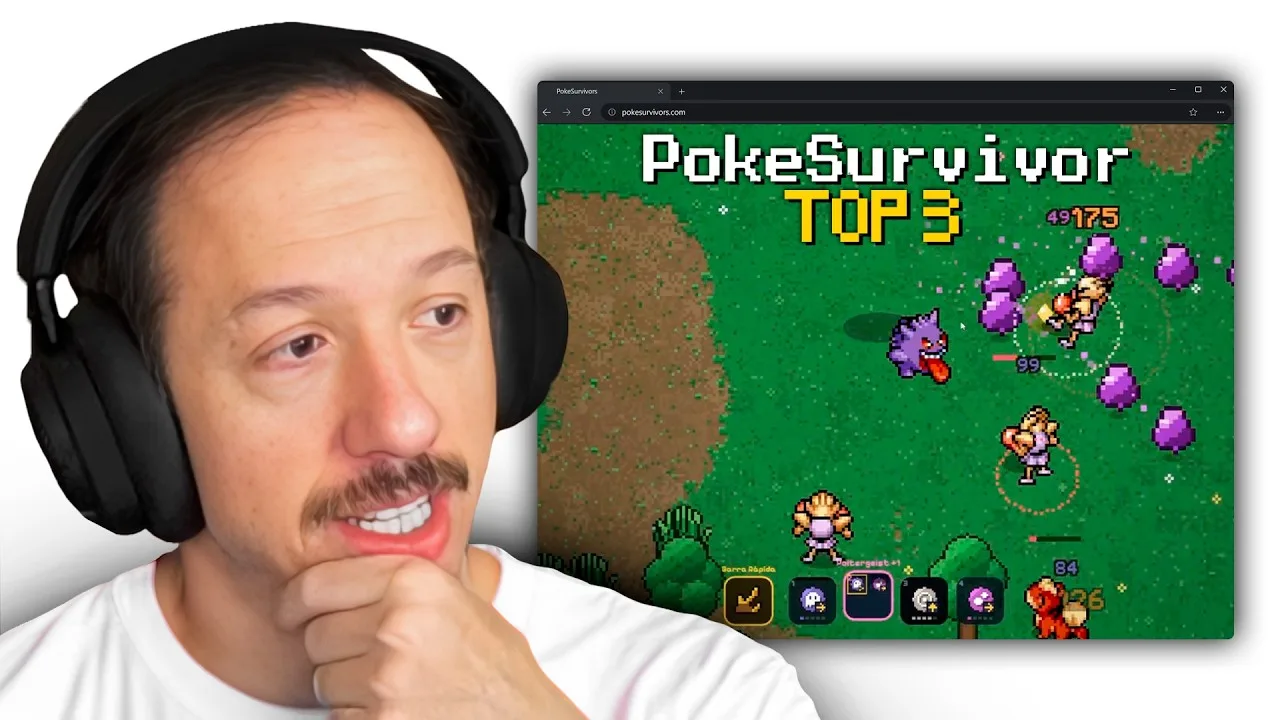
PokéSurvivor Download: Where to Get It and Start Playing
Your PokéSurvivor download gets you a free offline survival game where your Pokémon attacks automatically while you dodge the horde. Choosing between the download and browser version matters because offline play uses local saves, while online play adds cloud saves, co-op, and leaderboards. If you want to jump straight into battle, skip the PokéSurvivor download and open the game in your browser.
There are two main ways to play: launch the online version at play PokéSurvivor in your browser, or get the downloadable version from download PokéSurvivor on its official itch.io page. The download runs through an HTML file rather than a conventional desktop installer.
| Access option | How you launch it | Play and saving |
|---|---|---|
| Online browser game | Open pokesurvivor.com | Online features; account progress saves to the cloud |
| Downloadable offline game | Unzip the download and open index.html | Solo play; progress saves in your browser |
| Home screen app | Use “Add to Home Screen” | App installation option for the browser game |
Launch the offline download
Follow these steps to open the downloadable version:
- Visit the official itch.io page linked above.
- Download the game package.
- Unzip the package.
- Double-click index.html to launch the game in your browser.
Keep the extracted game folder together so you can return to the same launch file later. The offline version is solo only, with progress stored in your browser. For multiplayer, cloud saves, and leaderboard participation, use the online version.
PokéSurvivor is a free, non-profit fan game. Its gacha uses tickets earned through gameplay, and those tickets cannot be purchased with real money. Optional donations support operating costs and provide no gameplay advantages.
Choose Your Save Setup Before Building a Collection
Your PokéSurvivor download saves progress in your browser, while an online account saves it in the cloud. A quick guest session, an online account, and the offline version handle saving differently.

| Player setup | Save behavior | Cross-device progress |
|---|---|---|
| Online guest | Progress is not saved | No saved progress to continue |
| Online account | Progress saves to the cloud | Continue with the same account on another device |
| Offline download | Progress saves in your browser | Uses browser storage rather than online cloud saves |
Guest access lets you start without creating an account. Use it to explore the movement controls, starter selection, and upgrade cards. Create an account before investing time in a collection you want to keep.
Online accounts support a name and password or Google sign-in. With an account, you can continue your game across devices instead of starting over when switching from a computer to a phone.
Each Pokémon also has its own permanent upgrades. Coins spent strengthening one partner do not improve the entire roster. Spend on the Pokémon you actually use, especially while you are learning which move pool fits your playstyle.
Set up online co-op
To play with friends, open the online game and sign in. Each player needs an account, a nickname, and access to the friends system.
Add your teammates by nickname, invite them into a room, and start the group game once everyone has joined. Rooms support up to four players, experience is shared, and standing beside a fallen teammate revives them.
Coordinate before entering a rift: the group goes into the arena together. Clear nearby threats before stopping for a revive, and call out healers or shield-casters so teammates can help remove them.
Group games connect browsers directly when possible, allowing teammates to see one another’s IP addresses. Play with people you know, as the game’s privacy notice recommends.
Play on PC, Phone, or Tablet
You do not need a PokéSurvivor download to play on mobile. Open the online game in your phone or tablet browser, rotate the device into landscape, and use the touch controls.
For an app-style launch option, use “Add to Home Screen.” This is the installation method provided for the browser game. The downloadable offline package uses the separate unzip-and-open process.
| Action | PC controls | Phone or tablet controls |
|---|---|---|
| Move | WASD or arrow keys | Drag your finger anywhere on the screen |
| Switch moves | 1–4, Q/E, or click a move icon | Tap a move |
| Pause | Esc | Tap the top-right pause button |
| Attack | Active move fires automatically | Active move fires automatically |
On mobile, the movement joystick appears where you touch. Keep your device in landscape so the battlefield and interface use the intended layout.
On PC, learn the move-switching keys before the screen becomes crowded. You can carry several moves, but the active move is the one firing automatically. Knowing how to switch quickly matters when enemies resist your current attack or a utility move leaves you without damage.
Change the language
PokéSurvivor supports English and Spanish. The initial language follows your browser language, and you can change it in Settings.
Check the active move icon during each run. Automatic attacks handle firing, but positioning and move selection still belong to you. Learning another move does not mean every occupied slot becomes a separate automatic attacker.
In a group game, opening the pause menu does not stop the action. Move somewhere safer before adjusting settings or stepping away from the controls.
What You Get With PokéSurvivor
A PokéSurvivor download gives you the solo version of a Pokémon survival game built around movement, automatic attacks, and upgrade choices. The online version adds social features and cloud progression to that same survival loop.
The roster contains 966 playable Pokémon across nine regions, from Kanto through Paldea. Start with a partner suggested by the personality quiz, or choose another available starter. Unlock additional Pokémon through regional gacha banners using tickets earned by playing.
Build moves during each run
Collect experience to level up, then choose between three cards. Your choices include new moves, upgrades for moves you already have, and boosts for your Pokémon.
Moves can evolve when they reach maximum level and you have the required upgrade. Examples include Ember becoming Fire Blast and Bubble becoming Surf. Build toward a move’s actual requirement instead of expecting experience alone to trigger its evolution.
Bonded moves provide another way to combine your options: two moves fire together while occupying a single slot. That creates room for combinations such as an attack paired with a buff.
Account for types and weather
Type effectiveness affects both damage dealt and damage received. PokéSurvivor softens the familiar Pokémon matchups: super-effective attacks deal ×1.6, resisted attacks deal ×0.6, and immunities become ×0.3 damage. Dual-type modifiers multiply, with a cap of ×2.4.
Weather changes those decisions. Rain strengthens Water and weakens Fire, while harsh sunlight does the reverse. Sandstorm boosts Rock, Ground, and Steel; snowfall boosts Ice; fog boosts Ghost, Fairy, and Psychic.
Switch attacks when the matchup calls for it. A familiar move name does not make an attack suitable for every enemy on the screen.
Explore rifts and collect shinies
Rifts lead to 18 type-themed arenas containing legendary encounters. Arena terrain affects movement: lava burns, ice is slippery, and water slows you down.
Winning awards a ×10 gacha ticket. Losing returns you to the map without that reward.
Shiny hunting adds another collection goal. Wild Pokémon have a 1-in-4,096 shiny chance, while each gacha pull has a 1-in-100 chance. Defeat a wild shiny to acquire it, then select an owned shiny form in your collection to use it as your partner.
Make Your Early Runs Count
Once your PokéSurvivor download is running—or your browser session is open—focus on controlling space before chasing every reward. More upgrades help, but collecting experience and keeping an escape route are what let you reach those upgrades.
1. Circle the horde and collect experience
Move in wide circles to draw enemies into a trailing group. Walk through the experience they leave behind when you have room to do so.
Avoid crossing a dense pack just to grab an orb. Keep moving until you can approach the pickup through a safer opening. Experience sitting on the ground has not helped your build yet.
2. Improve the attack you are using
Upgrade the move clearing your immediate surroundings. When you learn another move, check which move is active before resuming your route.
Switch back to damage after using a buff if enemies are closing in. Moves such as Swords Dance build a benefit while active rather than dealing damage themselves, so they require deliberate switching unless paired through a Bond.
3. Remove support enemies and dodge warnings
Target Pokémon that heal or shield other enemies before spending too long attacking the protected crowd.
Step outside filling circles and lines on the ground. Those markers warn you that an attack is about to land. Leave yourself room to move rather than collecting rewards inside the marked area.
4. Read held-item tradeoffs
You can hold one item at a time. Finding another means choosing which to keep, and the selected item lasts for the run.
| Held item | Effect | Tradeoff |
|---|---|---|
| Leftovers | Recover 1.5% HP per second | Occupies your single held-item slot |
| Quick Claw | Reduce move cooldowns by 20% | Replaces your current held item |
| Choice Band | Increase damage by 40% | Prevents move switching |
| Life Orb | Increase damage by 30% | Attacks cost a little HP |
| Assault Vest | Reduce damage taken by 20% | Occupies your single held-item slot |
Read the restriction before equipping Choice Band. Commit to it when you intend to stay on your current move; replace it when your plan depends on switching attacks.
5. Invest in your regular partner
Spend earned coins on upgrades for the partner you keep selecting. Address the problem ending your runs: movement when you cannot escape, durability when hits overwhelm you, or offense when enemies stop falling.
Review missions and achievements between attempts. They give you objectives beyond survival time and reward progress with tickets and coins.
FAQ
Is a PokéSurvivor download required?
No. Play directly in your browser on PC, phone, or tablet. The optional offline download is available from the official itch.io page; unzip it and open index.html.
Can I play PokéSurvivor offline?
Yes. The downloadable version supports solo offline play and saves in your browser. Use the online game for co-op, cloud saves, and leaderboards.
How do I install PokéSurvivor on my phone?
Open the browser game and use “Add to Home Screen.” Play in landscape, drag to move, and tap a move to switch attacks.
Is PokéSurvivor an official Pokémon game?
No. It is a free, non-profit fan project with no affiliation with Nintendo, GAME FREAK, or The Pokémon Company.
Continue with
 PokéSurvivor Free: How to Play, Unlock, and SurvivePlay PokéSurvivor free in your browser with 966 Pokémon and 4-player co-op. Learn controls, earn gacha tickets, hunt shinies, and survive legendary rifts.
More in Features

PokéSurvivor App: Mobile Setup, Features & Play Tips
Play the PokéSurvivor app on your phone or PC. Learn home screen setup, cloud saves, controls, shiny hunting, and four-player co-op before your next run.
PokéSurvivor Bosses: Timings, Weaknesses, and Rewards
Beat PokéSurvivor bosses with smarter movement, type matchups, and held items. Learn boss timings, rift rewards, and how to keep your run alive longer.
PokéSurvivor Coop Guide: Play With Friends and Revive
Set up PokéSurvivor coop with friends, share XP, revive teammates, and tackle legendary rifts. Learn room setup and survival tips for your next group run.
PokéSurvivor Mobile: Touch Controls, Co-Op, and Tips
Play PokéSurvivor mobile in your browser with touch controls, cloud saves, and four-player co-op. Learn how to start, evolve moves, and earn shiny Pokémon.
Join the community
Official channels for news, updates and player help: